/Breakdown Studio
Turn game film into teaching clips or social media content.
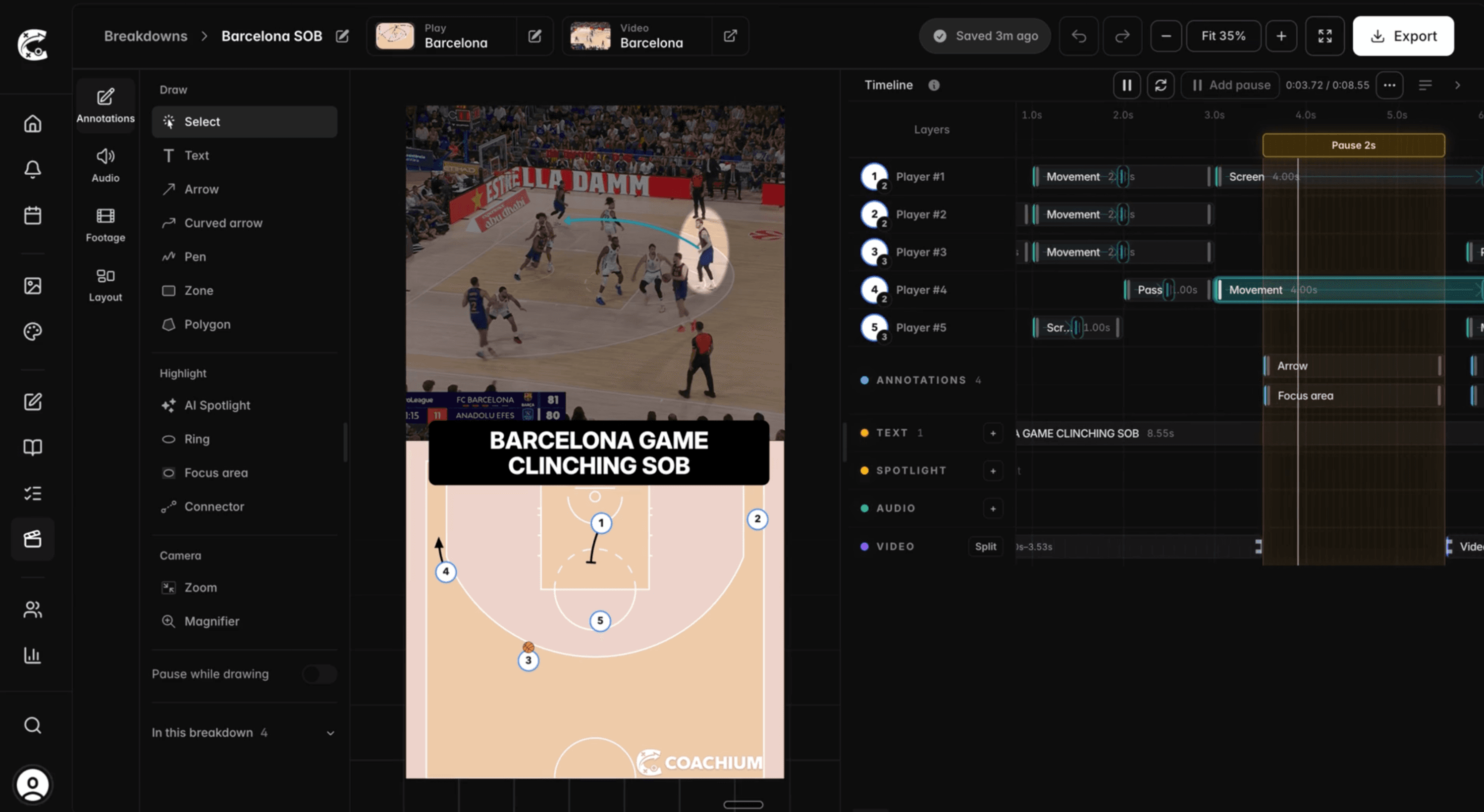
Put your game film and your animated play on one timeline, and turn them into breakdowns built for the film room or social media.
Line the animation up with the footage.
The play you drew runs alongside the real possession, perfectly in sync, so what you planned and what happened sit in the same clip.
- Shared timeline
- The footage, the play animation, text, and audio all sit on one timeline, so you edit everything in one place.
- Clip trimming
- Cut the film down to the possession you want and drop the rest.
- Voice-over and audio
- Keep the game audio, upload a track, or record yourself talking over the play.
“Coachium is a game-changer! It’s incredibly quick and easy to use, and I now have all of my plays and playbooks in one organized place. In end of game moments, being able to pull up exactly what I need in seconds makes a huge difference.”

Track and highlight players with AI.
Pick the players that matter and the AI keeps a highlight on them for the whole clip, so everyone watching knows who to look at. Add captions and a voice-over, then export in formats made for the film room, Instagram and TikTok.
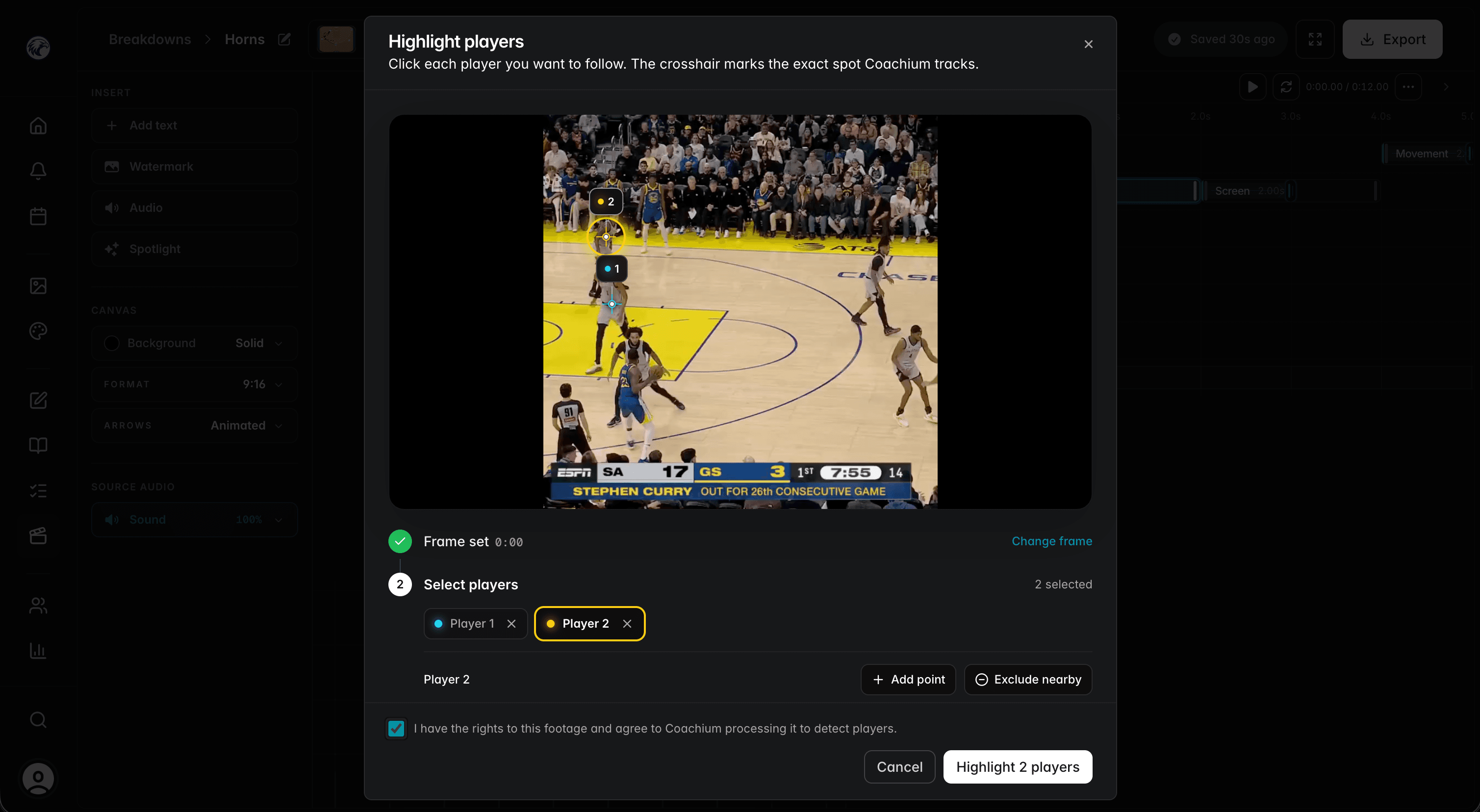
- AI player tracking
- Mark players on one frame and the highlight follows them through the whole clip.
- MP4 export
- Widescreen for the film room, or reel format for Instagram and TikTok.
Simple pricing, clear tiers.
Use Starter for individual coaching tools, or Team for rosters, player access, and staff collaboration. No add-ons, no sales calls, and no hidden pricing.
Starter
Perfect for individual coaches getting started.
- Get started with:
- 1 active user
- Play Creator (with MP4 exports)
- Play Template Library
- Shareable play links
- Playbook organization (with PDF exports)
- Practice Plan Builder
- Breakdown Studio
- Player roster management
- Media library
- Custom court designs
- 50GB Storage
Team
Great for coaching staff and small organizations.
- Everything in Starter, plus:
- Up to 20 active users
- Player Development Plans (PDPs)
- Player evaluations & check-ins
- AI Writing Assistant (for practice plans & PDPs)
- Voice-over recordings for plays
- Team announcements & notifications
- Calendar & event scheduling
- 250GB Storage
Pro
For established organizations with advanced needs
- Everything in Team, plus:
- Up to 100 active users
- Advanced Analytics & Reporting
- Scout Reports & Game Analysis
- White Label Branding
- Custom Integrations & API Access
- Multi-Season Data Management
- Priority Support
- 1TB Storage
14-day money-back guarantee. Not the right fit? We'll refund you.